Count the Kicks
Healthy Birth Day, Inc.Medical
4.2336.00 Reviews
- Version
- 7.9.23
- Installs
- 100.00K
- Age Rating
- Everyone
Screenshots

Our Review of Count the Kicks
 Analysis by Appyee
Pregnancy turns small daily observations into meaningful information, and that is where Count the Kicks fits naturally. I found it most useful as a focused medical app for people in the third trimester who want a simple way to notice their baby’s movement pattern instead of relying on memory. It is not trying to be a general pregnancy planner, symptom encyclopedia, or social network. Its value comes from giving one repeated task a clear place in the day.
The app is free, rated for Everyone, and developed by Healthy Birth Day, Inc. It has reached over 100K installs, with an average rating of 4.2 from around 992 ratings and 336 reviews. Those figures suggest a useful level of public interest, but they do not replace a conversation with a maternity professional. I would treat the app as a tracking aid, not as a diagnostic tool or a substitute for urgent medical advice.
How the movement-counting routine feels in everyday use
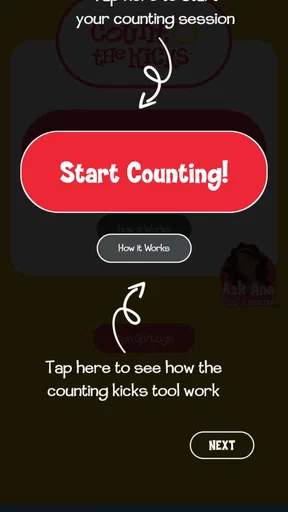
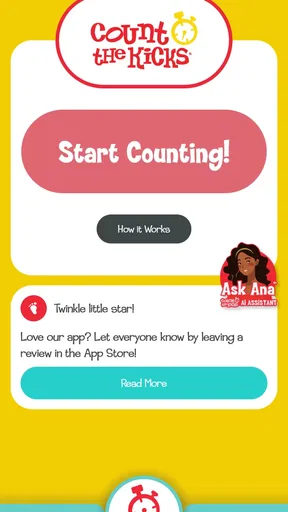
The basic idea is easy to understand: when you are ready to pay attention, you record the baby’s movements and build a personal reference point. That simplicity is important. During pregnancy, an app can become frustrating if every entry requires several screens, unrelated questions, or too much reading. This one makes more sense when opened with a specific purpose rather than browsed like a magazine.
I can imagine using it after dinner, when the house is quieter and I can sit down without multitasking. I would start a session, concentrate on the movements, and finish by saving the result. The routine is deliberately repetitive, but that is also its strength. A consistent habit makes it easier to notice a meaningful change than a vague thought such as “the baby seems quieter today.”
One practical tip is to choose a time and place that are realistic rather than ideal. If the only time you can concentrate is after putting other children to bed, that is more useful than promising yourself a perfect morning routine that never happens. Keeping the phone charged and nearby also removes a small barrier. The app cannot make an inconsistent routine reliable, but it can make a chosen routine easier to repeat.
Another useful approach is to think of the app as a conversation starter. If your pattern seems different, the important next step is contacting your healthcare provider and explaining what you noticed. I would not spend time repeatedly restarting sessions in the hope that an app can reassure me. A tracker records observations; a qualified professional interprets concerns in context.
Where connectivity helps and where it becomes a distraction
Connectivity matters most around the edges of the experience. The central value is the act of paying attention to movement, so a weak signal should not become the focus of that moment. At the same time, phones are connected devices, and users may encounter loading delays, account-related interruptions, updates, or other network-dependent behavior depending on how the current app build handles its services.
That creates a sensible habit: open the app before settling into a counting session. If it needs to load, I would rather discover that while preparing than after I have already started paying attention. I would also avoid switching between several apps during a session. Notifications, calls, and a weak connection can all break concentration, which defeats the purpose of a calm, repeatable observation.
For someone who spends time in places with unreliable reception, this is an important trade-off. A paper note or a basic local timer may feel more dependable in a basement, rural area, hospital waiting room, or during travel. The app is more appealing when the phone is already part of your daily routine and connectivity is normally predictable. I would not choose it solely because it is digital; I would choose it if the digital routine is easier for me to maintain.
Mobile use also changes depending on how tired or uncomfortable you are. Late pregnancy is not the time for an app that demands precise tapping while you are walking, cooking, or carrying bags. I would use it while seated, with the phone on a stable surface or held comfortably in one hand. That small adjustment makes the experience less about operating a phone and more about observing the baby.
What to do when a session is interrupted
Real life is rarely quiet for long. A partner may ask a question, a child may need help, or a phone call may interrupt the session. My advice is not to guess at the missing part later. If you lose track of what happened, start again when you can give the task proper attention, and make a note for yourself that the earlier attempt was interrupted. Accuracy matters more than finishing quickly.
A connection problem deserves the same calm approach. I would first check whether the app is simply taking time to respond, then try again when the phone has a more stable connection. Keeping the application updated is sensible because this release is version 7.9.23, and current versions generally provide the intended experience for the supported device environment. The minimum operating system is Android 7.0, so older phones should be checked before planning around it.
There is also a difference between a technical failure and a health concern. If the app freezes, that is a software problem. If you are worried about reduced or changed movement, that is a medical concern and should not wait for the app to recover. I appreciate this distinction because it prevents a tracker from becoming an unnecessary gatekeeper between a pregnant person and professional advice.
I would prepare a backup routine before I need it. A simple note on paper can record the date, approximate time, and what I observed if the phone is unavailable. That does not make the paper method equivalent to the app, but it protects the habit from one dead battery or connection issue. When the phone works again, I would continue from the next appropriate session rather than trying to reconstruct every detail from memory.
Using mobile data without letting the app take over
For people watching mobile data, the safest practical attitude is to use the app intentionally rather than leave it open all day. The counting task itself should not require constant browsing. I would open it for the session, close it afterward, and avoid unnecessary background activity where the phone’s own settings allow that. This is good phone hygiene even when data use is not a major concern.
Wi-Fi can be useful for updates or any content that takes time to load, especially if your mobile plan is limited. I would update before an important period of use rather than waiting until I am already trying to record a session. This is not about turning the experience into a technical project; it is simply a way to keep a medical tracking routine from colliding with a poor signal or a nearly exhausted data allowance.
Privacy is another reason to be deliberate. Pregnancy information can feel personal, so I would review the app’s current permission and account screens carefully on my own device and avoid granting access that does not seem necessary for how I intend to use it. I would also keep the phone locked and think about who can see notifications. The app’s usefulness does not require me to discuss every entry publicly or place sensitive details in a shared family device.
One non-obvious trade-off is that convenience can encourage overchecking. A phone makes it easy to open a tracker repeatedly, but more entries do not automatically create better information. I would follow the routine recommended by my healthcare team and use the app consistently, rather than turning it into a source of anxiety. If I notice myself checking compulsively, I would step back and ask a professional how often tracking is appropriate for my situation.
Who will benefit most from this app
I think it suits a person who wants a dedicated place for movement counting and prefers a guided digital routine over a notebook. It may also help a partner understand that this is an observation task, not merely a casual phone activity. Sitting together quietly can make the routine feel less lonely, while the pregnant person remains the one who knows what the movements feel like.
It is particularly practical for someone who already carries an Android phone and wants one focused medical tool rather than a large pregnancy app filled with unrelated features. The category matters here: this is a medical tracking app, so its best use is narrow and purposeful. If you want appointment planning, nutrition guidance, contraction timing, community discussions, and fetal-development articles in the same place, a broader pregnancy application may be a better companion.
I would be more cautious recommending it to someone who dislikes phone-based routines, has an outdated device below Android 7.0, or regularly spends time without dependable access to the phone. A paper log may be less polished but more available. Likewise, anyone who finds movement counting increases anxiety should discuss that reaction with a healthcare provider instead of assuming that more tracking is always better.
The app should also be skipped as a source of emergency reassurance. It cannot examine you, assess symptoms, or tell you why a pattern changed. If your clinician has given you a specific method or schedule, that advice takes priority. The best role for this app is supporting a plan already agreed with a professional, not replacing that plan.
How it compares with a notebook, timer, or full pregnancy app
A notebook wins on independence from batteries, updates, and connectivity. It is also flexible: you can write down context, discomfort, questions, or anything else that seems relevant. Its weakness is consistency. You must create your own format, remember where the notes are, and interpret a page of handwriting later. Count the Kicks is more suitable when the structure of an app helps you keep the routine steady.
A phone timer is even simpler, but it only measures time. It does not give the task the same dedicated identity, and it can tempt you to switch to messages or other distractions. On the other hand, a timer may be the better emergency fallback when the dedicated app is unavailable. I like having both options: the app for normal sessions and a basic manual method for interruptions.
A full pregnancy app offers breadth, but breadth can become clutter. If I only need movement counting, opening a large dashboard may add decisions I do not need. If I want a complete pregnancy companion, the focused nature of this app may feel limited. The right choice depends on whether you value a single clear routine or a wider collection of pregnancy tools.
The strongest difference is attention. This app encourages me to stop and observe rather than treat movement as another number buried in a general health dashboard. That focus is helpful, but it also means the app’s usefulness depends on my willingness to pause. No interface can create a meaningful record if I tap through it while distracted.
My practical setup for a calmer routine
I would begin by choosing a repeatable daily window, placing the phone where it is easy to reach, and silencing avoidable notifications. I would use the same comfortable position when possible, because changing the circumstances every time can make personal comparisons less clear. I would not force the session while driving, walking, or doing household work; the point is focused observation.
Before relying on it, I would open the app at home and become familiar with its current screens. That first quiet trial is useful because it separates learning the interface from the pressure of an important session. I would also check that the phone meets the Android requirement and that the current version is installed. These are small steps, but they reduce the chance of discovering a technical obstacle at an inconvenient moment.
If I travel, I would plan for connectivity rather than assume it will behave the same everywhere. I would make sure the app has been opened recently, keep a simple backup note available, and avoid depending on a last-minute update over mobile data. Again, this is not a claim that every function works without a connection; it is a practical way to avoid making an uncertain network the center of the routine.
I would record questions for my healthcare provider separately. For example, if I notice a change, I would write down when it happened and explain the situation directly instead of trying to turn the app’s history into a medical conclusion. This separation keeps the app useful while respecting its limits.
My connectivity verdict
After looking at the app through the realities of mobile use, I see it as a focused companion for a simple but important third-trimester habit. Its best experience comes from a quiet, deliberate session, not from constant phone activity. Connectivity can affect loading, updates, and interruptions, so users should prepare sensibly and keep a manual fallback. I would not promise offline behavior without checking the current build on my own device.
Healthy Birth Day, Inc. has made something more approachable than a blank note page for people who want a dedicated movement-counting routine. The free price removes a major barrier, and the Everyone rating makes it broadly accessible as an app, though the subject itself is intended for pregnant users and their support networks. The public rating of 4.2 is encouraging, but my recommendation rests more on the focused purpose than on the number attached to its store page.
My final view is positive with an important boundary: use it to build awareness and communicate observations, not to diagnose or delay care. I would recommend it to someone in the third trimester who wants a structured digital habit and normally has a dependable phone. I would choose a notebook, a basic timer, or a broader pregnancy app instead when connectivity, device limitations, anxiety, or the need for wider features matters more than dedicated kick counting. The most valuable feature is the routine you can maintain calmly and consistently.
Verdict
Strengths of Count the Kicks
- Simple kick-counting method designed for everyday use
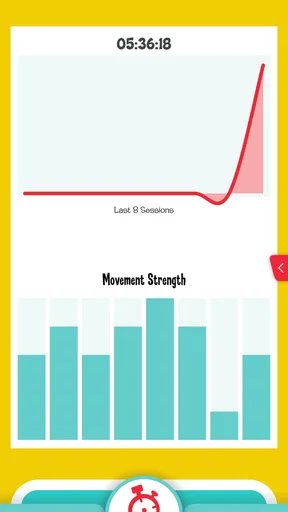
- Clear visual progress helps you recognize changes in movement
- Personal logs can support more informed conversations with your provider
- Reminders encourage consistent tracking without complicated setup
- Useful educational resource for learning about fetal movement patterns
Limitations of Count the Kicks
- Not a substitute for medical advice or professional fetal monitoring
- May increase anxiety when movement varies naturally during pregnancy
- Requires regular manual entries, which can become easy to forget
- Some features may depend on regional healthcare guidance or availability
- Limited usefulness after delivery or outside the recommended tracking period
Similar Picks in This Category
View All
WebMD: Symptom Checker
WebMD, LLC4.1

Microphone Amplifier
DOSA Apps4.2

Anatomy Learning - 3D Anatomy
3D Medical OU4.5

Period Tracker and Calendar
SimpleInnovation4.9

GoodRx: Prescription Coupons
GoodRx4.8

CVS Health
CVS Pharmacy4.5
Frequently Asked Questions
What is Count the Kicks, and who is it designed for?
Count the Kicks is a pregnancy app designed to help expectant parents monitor their baby’s movements during the third trimester. It provides a simple way to time kick counts, record results, and recognize changes in a baby’s usual movement pattern. The app is especially useful for people who want an organized daily routine for tracking fetal activity, although it should complement—not replace—regular prenatal appointments and medical guidance.
How does the kick-counting feature work?
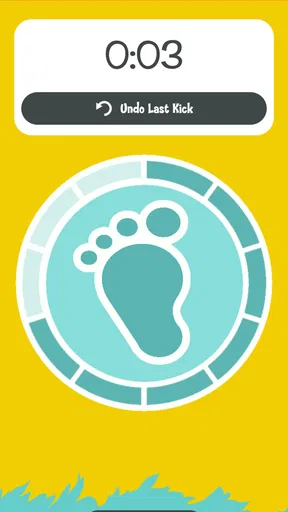
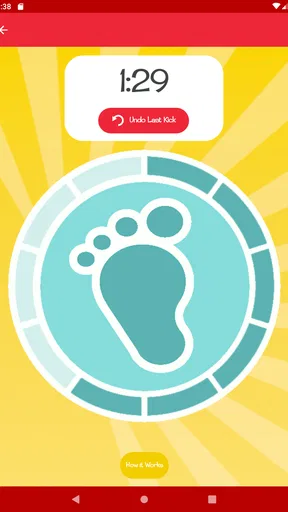
The app guides you through a movement-counting session, usually asking you to begin when your baby is active and record how long it takes to feel ten movements. You can typically pause or finish a session when the count is complete, then review the result later. The interface is straightforward, making it practical for daily use, but users should follow the counting instructions recommended by their healthcare provider.
Is Count the Kicks a substitute for medical advice?
No. Count the Kicks is an educational and tracking tool, not a diagnostic application. It cannot determine whether a pregnancy is healthy, identify complications, or replace advice from an obstetrician, midwife, or other qualified professional. If your baby’s movements seem noticeably reduced, stop using the app as a substitute for care and contact your healthcare provider or local maternity service promptly for appropriate guidance.
What information can I record and review in the app?
Count the Kicks is intended to help you keep a history of fetal movement sessions, including the time required to reach the target number of movements and any notes or observations supported by the app. Reviewing previous sessions can help you become familiar with your baby’s normal pattern and provide useful information during appointments. Avoid interpreting the records alone; your healthcare professional should assess any concerns.
Is Count the Kicks free, and what should I check before downloading it?
Availability, pricing, supported devices, and included features may vary depending on whether you download Count the Kicks from Google Play or the Apple App Store and on your region. Before installing, check the current store listing for compatibility, permissions, privacy information, update history, and any optional purchases. Because pregnancy data can be sensitive, review how the app handles, stores, and shares information before creating an account or entering personal details.
